

If you spend hours at a desk, you know how quickly discomfort can creep in. For small business owners, developers, and anyone working long hours at a computer, back pain is more than a nuisance, it can disrupt productivity and quality of life. The good news is that simple desk setup fixes can make a real difference. Whether you’re looking for back pain relief Rochester Hills professionals recommend or just want to feel better at the end of your workday, understanding ergonomics and making targeted adjustments can help transform your workspace into a haven of comfort. In this guide, we’ll explore actionable strategies to reduce strain, improve posture, and support your spine, so you can work smarter and feel better every day. Let’s dive into practical solutions that anyone can implement, no matter your office size or budget.
Understanding the Impact of Desk Ergonomics
Many people underestimate how much their workspace affects their body. Desk ergonomics refers to the science of designing your workstation to fit your body’s needs, reducing stress on muscles and joints. Poor ergonomics can lead to chronic back pain, neck stiffness, and even headaches. When your desk, chair, and computer are not properly aligned, your muscles compensate, often leading to fatigue and discomfort. For those seeking chiropractic care for back pain, understanding ergonomics is often the first step toward lasting relief. By learning how your body interacts with your workspace, you can identify the root causes of pain and make targeted changes that support spinal health. Even minor adjustments can have a significant impact on your comfort and productivity throughout the day.
Choosing the Right Chair for Spinal Support
The chair you use is one of the most important factors in preventing back discomfort. A supportive chair should encourage a natural curve in your lower back, provide adjustable height, and offer adequate cushioning. Many people in the area invest in ergonomic chairs with lumbar support to help maintain proper posture throughout the workday. When searching for back pain solutions, start by evaluating your current chair. Does it allow your feet to rest flat on the floor? Are your knees at a 90-degree angle? If not, consider adding a footrest or adjusting the seat height. Armrests should support your elbows without causing your shoulders to hunch. Remember, even the best chair can’t compensate for poor posture, so combine a quality seat with mindful sitting habits for optimal results.
Monitor Placement and Neck Alignment
Your monitor’s position plays a crucial role in reducing strain on your neck and upper back. Ideally, the top of your screen should be at or just below eye level, and about an arm’s length away. This setup encourages you to sit upright, minimizing the urge to lean forward or look down for extended periods. For those consulting a Chiropractor in Rochester Hills, MI, monitor placement is often one of the first adjustments recommended. If you use multiple screens, keep your primary monitor directly in front of you, and angle secondary monitors to reduce excessive head turning. Consider using a monitor riser or stack of sturdy books to achieve the right height. Regularly check your posture while working, your ears should align with your shoulders, not jut forward. These small changes can greatly decrease tension and fatigue in your neck and shoulders.
Optimizing Keyboard and Mouse Position
An often-overlooked aspect of desk ergonomics is the placement of your keyboard and mouse. Both should be positioned so your elbows remain close to your body and your wrists are straight, not bent up or down. This setup helps prevent repetitive strain injuries and supports overall back comfort. If you notice tingling or discomfort in your hands or forearms, it could be a sign that your devices are too high or too far away. For more insight, see Why Sciatica Pain May Travel Differently Down the Leg for Rochester Hills Patients. Consider using a keyboard tray to lower your typing surface or an ergonomic mouse that fits the natural curve of your hand. Take frequent breaks to shake out your hands and stretch your fingers, which can also help relieve tension that travels up the arms to the shoulders and back.
Simple Desk Stretches to Ease Discomfort
Movement is key to preventing and relieving back pain, especially if you’re seated for long periods. Incorporating gentle stretches into your daily routine can help loosen tight muscles and improve circulation. Try standing up every 30 minutes to perform a few simple stretches: reach your arms overhead, twist gently from side to side, or touch your toes. For more targeted routines, check out Rochester Hills Back Pain Relief: Everyday Stretches That Actually Help. Desk-friendly stretches like shoulder rolls, seated spinal twists, and neck tilts can be done without leaving your chair. These movements not only reduce pain but also boost energy and focus, making your workday more productive and comfortable.
Standing Desks and Adjustable Workstations
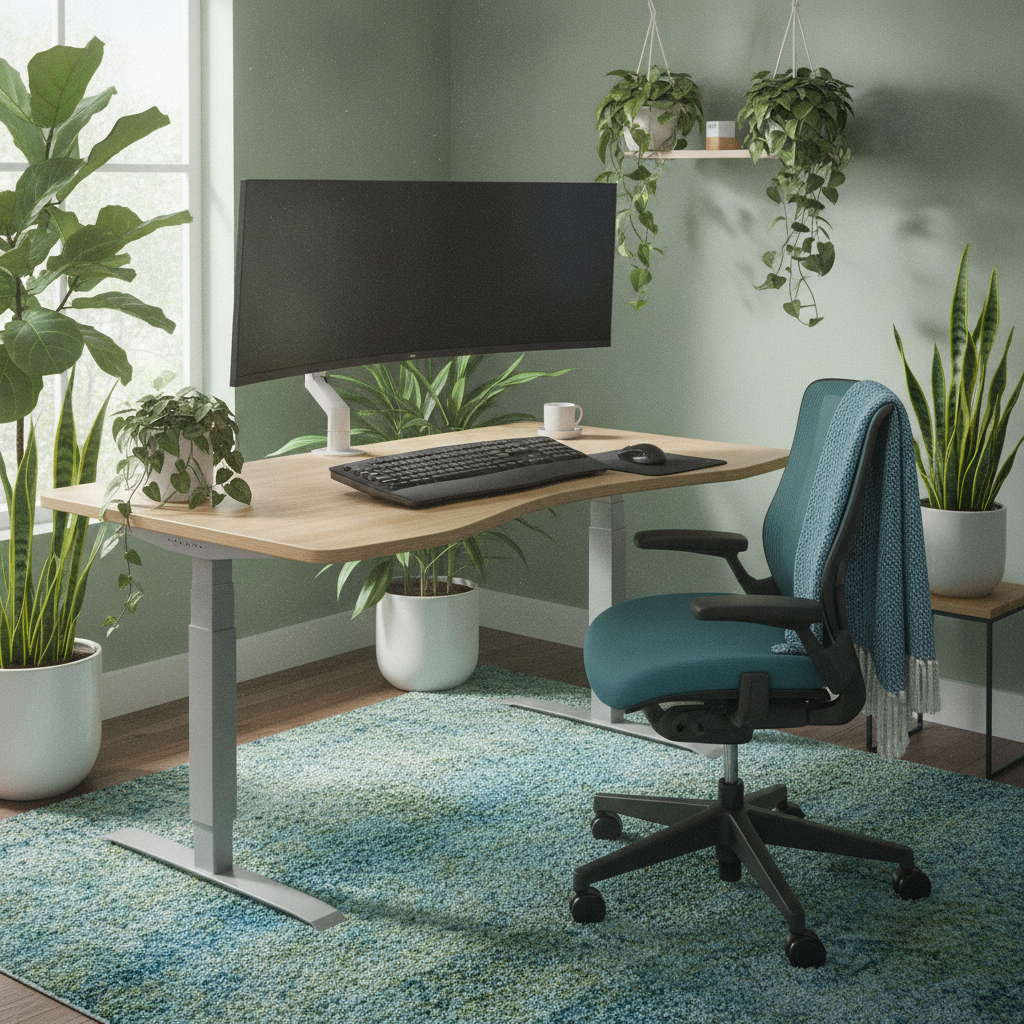
Standing desks have become increasingly popular for those seeking to break up long hours of sitting. Adjustable workstations allow you to alternate between sitting and standing, reducing the load on your spine and encouraging better posture. When using a standing desk, make sure your monitor and keyboard are properly aligned to avoid new sources of strain. Start with short standing intervals and gradually increase the duration as your body adapts. Anti-fatigue mats can provide additional comfort for your feet and legs. Remember, the goal is not to stand all day, but to vary your position throughout the workday. Many residents have found that a combination of sitting, standing, and moving leads to the greatest relief from back pain and stiffness.
Lighting and Its Role in Posture
Good lighting is often overlooked when setting up a desk, but it can significantly affect your posture and comfort. Poor lighting causes you to lean forward or hunch over your work, increasing strain on your back and neck. Position your desk near natural light if possible, and supplement with adjustable lamps to reduce glare and shadows. Task lighting focused on your keyboard or workspace can help you maintain an upright position and prevent eye strain. If you find yourself squinting or leaning in to see your screen, it’s time to reassess your lighting setup. Small adjustments to your lighting can encourage better posture, reduce headaches, and support your overall well-being during long workdays.
Creating Healthy Work Habits for Lasting Relief
Beyond physical adjustments to your workspace, developing healthy work habits is essential for long-term back comfort. Schedule regular breaks to stand, stretch, or walk around the office. Use reminders or apps to prompt movement if you tend to lose track of time. Practice mindful posture checks throughout the day, roll your shoulders back, engage your core, and keep your feet flat on the floor. Hydration and nutrition also play a role in muscle health, so keep water and healthy snacks nearby. Encourage a culture of movement among your team by organizing group stretch breaks or walking meetings. By making these habits part of your daily routine, you’ll not only reduce the risk of discomfort but also boost productivity and morale.
When to Seek Professional Help Locally
While many desk setup fixes can be implemented on your own, some cases of back pain require professional attention. Persistent or worsening discomfort, numbness, or tingling may signal underlying issues that need expert evaluation. In the region, there are many skilled practitioners who specialize in musculoskeletal health and ergonomic assessments. They can provide personalized recommendations, hands-on therapy, and guidance on workstation modifications tailored to your needs. If your pain interferes with daily activities or doesn’t improve with self-care, don’t hesitate to reach out for support. Early intervention can prevent minor issues from becoming chronic problems and help you return to work with confidence and comfort.
Comparing Common Desk Setup Adjustments
| Adjustment | Benefit | Tips |
|---|---|---|
| Chair Height Adjustment | Reduces lower back strain | Feet flat, knees at 90 degrees |
| Monitor Elevation | Prevents neck and shoulder pain | Top of screen at eye level |
| Keyboard/Mouse Position | Reduces wrist and arm fatigue | Wrists straight, elbows close |
| Standing Desk Use | Encourages movement | Alternate sitting and standing |
| Lighting Improvements | Reduces eye strain, supports posture | Use natural and task lighting |
Personalizing Your Workspace for Comfort
No two people are exactly alike, so your ideal desk setup may differ from your coworker’s. Take time to experiment with different chair heights, monitor positions, and accessory placements until you find what feels best for your body. Consider adding supportive accessories like lumbar cushions, footrests, or ergonomic keyboards based on your unique needs. Pay attention to signals from your body, if you notice tension or discomfort, make small adjustments and see how you feel. Personal touches, such as plants or photos, can also boost your mood and help you feel more at ease in your workspace. By making your desk setup truly your own, you’ll support both physical comfort and mental well-being throughout your workday.
Final Thoughts
Back pain doesn’t have to be an inevitable part of working at a desk. With a few thoughtful adjustments and consistent healthy habits, you can create a workspace that supports your spine and helps prevent discomfort. From choosing the right chair and monitor placement to incorporating movement and proper lighting, every detail counts. Remember, the journey to back pain relief is personal, what works for one person may need tweaking for another. If you find that self-care strategies aren’t enough, don’t hesitate to seek professional guidance in this community. By prioritizing your comfort and well-being, you’ll not only feel better at work but also enjoy greater energy and focus in every aspect of your life.